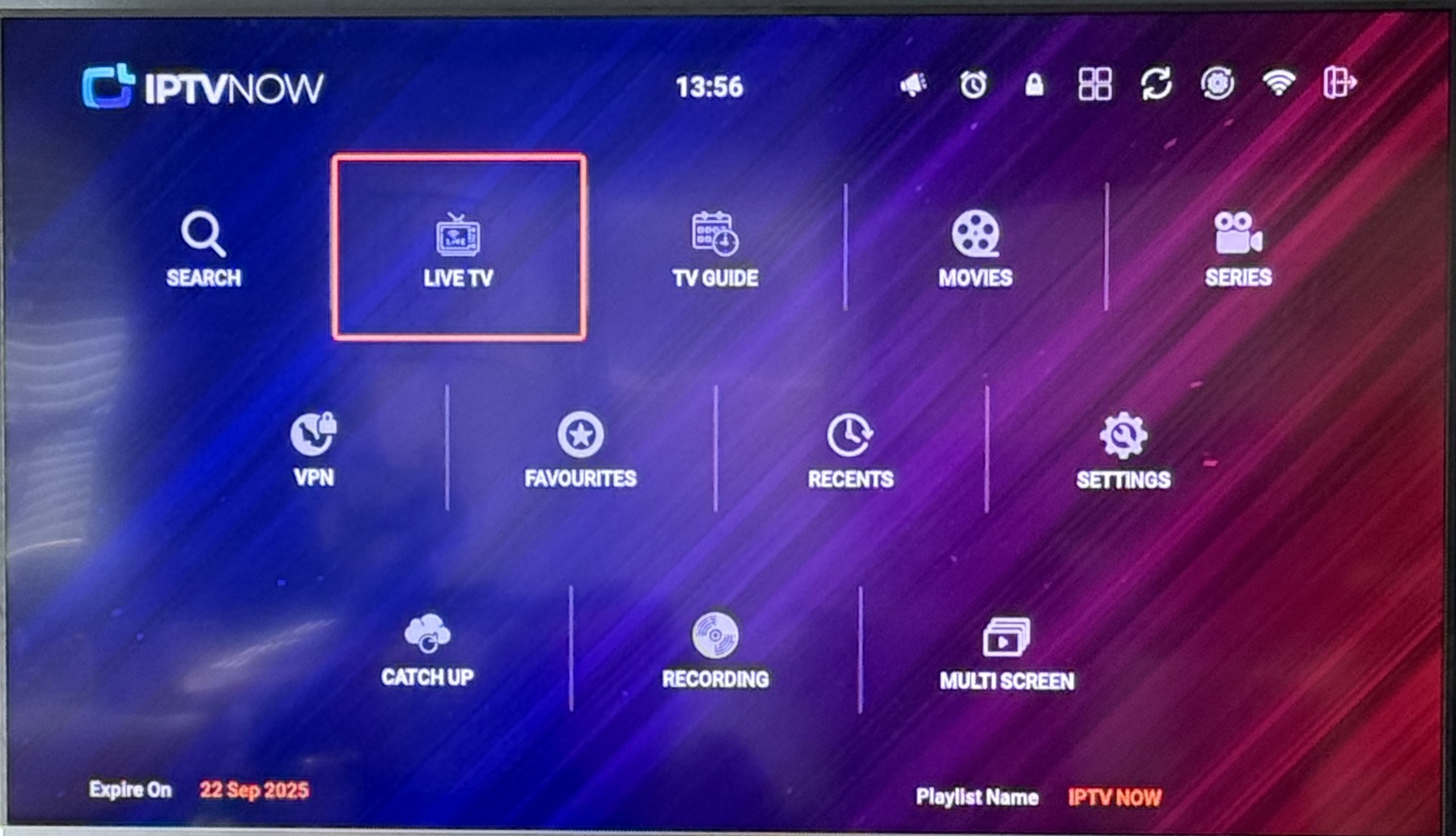
IPTV NOW – Home Screen Feature Guide
- Search - Quickly find any live channel, movie, or series by name. This is your universal search tool.
- Live TV - Access the full list of live TV channels, organized by categories (sports, news, kids, entertainment, etc.). This is where you watch real-time television.
- TV Guide - See the schedule for all available live TV channels. You can check what’s on now, what’s coming up next, and plan your viewing.
- Movies - Browse the on-demand movie library. Select from genres like action, comedy, romance, and more.
- Series - Find TV shows, seasons, and episodes available on demand. Perfect for binge-watching.
- VPN - Connect to a Virtual Private Network for privacy and to access geo-restricted content if needed. (Optional, for advanced users.)
- Favorites - Save your favorite channels, movies, or series for quick and easy access later.
- Recents - View your recently watched channels, movies, or episodes so you can quickly resume where you left off.
- Settings - Customize your app experience — adjust video quality, audio, display, parental controls, and account preferences.
- Catch Up - Watch shows that already aired within a set time window (for example, the last 24–72 hours depending on service availability).
- Recording - Record live shows or movies to watch later. This acts like a personal DVR.
- Multi-Screen - Split your screen to watch multiple channels at once. Ideal for sports or news monitoring.